3 most popular PDF to Word converters for 2026
Ah, the trusty PDF! It's the universal language for sharing documents, keeping everything neat and tidy across all your devices.
But let's be real, trying to edit a PDF can feel like wrestling an octopus – frustrating and often impossible without specialized tools.
That's where the magic of converting PDF to Word comes in! And here's the best part: you don't need to break the bank on pricey software. The internet is brimming with fantastic free PDF to Word converters, ready to transform your static PDFs into dynamic, editable MS Word files with ease. Join us as we dive into the incredible benefits of this conversion superpower and unveil some of the top free tools that make it happen, simply and efficiently.
🚀 Stop Retyping, Start Editing! 🚀
Stop fighting with "read-only" scans and flattened documents. If you have a PDF that feels like a brick, OnlineOCR.net is the power tool you need to turn those non-editable pages into a fully functional Microsoft Word (.docx) document.
Why OnlineOCR.net is the #1 PDF to Word OCR Choice?
- Advanced OCR Technology: We don't just "extract" text—we recognize it. Our engine reads scanned images inside your PDF and recreates them as editable text.
- Preserve Your Layout: Forget about messy "text dumps." We maintain your columns, tables, headers, and formatting, so your Word doc looks exactly like the original PDF.
- Multi-Page Processing: Have a 50-page report? No problem. Our OCR handles multi-page documents in one seamless conversion.
- Global Language Support: From English and Spanish to Chinese, Japanese, and Cyrillic, we accurately recognize over 46 languages.
- No Install, No Hassle: 100% web-based. Convert your files instantly from any device without downloading bulky software or registering.
🚀 3 Clicks to Editability:
- Upload your scanned PDF.
- Select your document's language and choose Microsoft Word (.docx).
- Convert and download your perfectly formatted, editable file!
Stop retyping and start editing. Turn your frozen PDFs into living documents today.
👉 Convert your PDF for FREE at OnlineOCR.net 👈
Why Make the Switch? Your Essential Reasons to Convert PDF to Word
Transforming your PDFs into Word documents isn't just a good idea – it's a game-changer for a multitude of reasons:
-
Unleash Editability:
Ever felt trapped by a PDF you couldn't tweak? PDFs are notoriously stubborn without fancy software. But convert it to an editable Word document, and suddenly you're free to effortlessly adjust text, images, and formatting!
-
Seamless Software Integration:
Whether you're a Microsoft Word wizard or a Google Docs guru, these are your go-to for document creation. Converting a PDF to an editable Word file instantly makes it play nice with your favorite word processors, opening up a world of possibilities.
-
Content Liberation:
Got valuable data locked in PDF tables, charts, or lengthy text blocks? Converting to Word is like setting that content free! No more tedious copy-pasting or retyping – just pure, reusable information at your fingertips.
-
Enhanced Accessibility for All:
For users relying on screen readers or other assistive technologies, Word documents are often a much smoother experience. Make your content truly inclusive by converting it.
-
Dynamic Customization on Demand:
Say goodbye to static limitations! Once converted, your document becomes a canvas for quick updates, reformatting, and personalization, adapting to your needs without a fuss.
Unlocking Value: The Superpowers of Free PDF to Word Converters
Opting for a free PDF to Word converter isn't just about saving money; it's about unlocking a treasure trove of advantages that empower your workflow:
-
Budget-Friendly Brilliance:
Why pay a premium when you can get the job done for free? Ditch the hefty price tags of software like Adobe Acrobat Pro. This is a game-changer for students on a budget, budding entrepreneurs, and savvy freelancers!
-
Instant Access, Zero Installation:
Forget cluttered hard drives! Many fantastic online tools, like pdftoword.xyz, are entirely web-based. No downloads, no installations – just upload your PDF, click convert, and download your shiny new Word document. It's that simple!
-
Effortless User Experience:
These free tools are designed with you in mind. They prioritize simplicity, offering clean, intuitive interfaces where transforming your files is literally just a few clicks away. No tech wizardry required!
-
Lightning-Fast Transformations:
Time is precious, and good online converters get that. Watch your files transform almost instantly, saving you valuable minutes and effort for what truly matters.
-
Your Data, Your Privacy:
Worried about your sensitive documents? Top-tier free converters prioritize your security. They ensure your uploaded files are never stored or shared, automatically deleting them from their servers to keep your data absolutely private.
-
Convert Anywhere, Anytime:
The beauty of web-based converters? Your office is wherever you are! Convert documents seamlessly from your PC, tablet, or even your smartphone – all you need is an internet connection.
Your Go-To Arsenal: Top Free Tools for Editable PDF to Word Conversion
Ready to dive in? Here are some of the most trusted and effective free tools that empower you to convert PDFs to editable Word documents without a hitch:
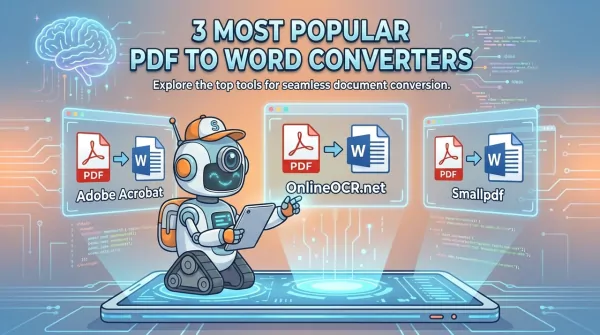
1. OnlineOCR.net: The Precision Powerhouse
Considered a top-tier choice, OnlineOCR.net isn't just a converter; it's a comprehensive OCR toolkit. Its PDF to Word OCR converter stands out, delivering lightning-fast results while meticulously preserving your original formatting. Access it online whenever you need, no installation required – just pure, quick, and hassle-free document transformation!
2. PdfToWord.xyz: The Streamlined Solution
Looking for simplicity and speed? PdfToWord.xyz is your go-to. This converter excels at transforming your PDFs into editable Word documents with zero fuss. Just upload, convert, and you're done! It's remarkably adept at preserving formatting and layout, whether you're tackling a basic text document or something far more intricate.
3. SmallPdf.com: The Feature-Rich Friend
SmallPDF is a beloved, intuitive online platform packed with a suite of PDF superpowers, including excellent PDF to Word conversion. Its sleek drag-and-drop interface and cloud storage integration make it a joy to use. While a fantastic free version is available, keep in mind that some advanced features might tempt you towards a paid plan.
Your Quick Guide: How to Convert PDF to Word for Free (The Easy Way!)
- Fire up your favorite web browser and navigate directly to OnlineOCR.net.
- Hit that Select File button and effortlessly upload your PDF document.
- Select Microsoft Word (docx) and press CONVERT.
- A moment of patience! Let the magic happen as your file uploads and converts.
- Voila! Download your freshly minted, fully editable Word document.
Pro Tips: Mastering Your PDF to Word Conversions
Want your converted files to look absolutely perfect? Keep these golden tips in your back pocket:
- Always start with a clean slate: ensure your original PDF is crisp and clear.
- Steer clear of heavily encrypted or password-protected PDFs – they can be tricky!
- Don't be afraid to experiment! If one tool doesn't quite hit the mark, try another.
- ALWAYS, always give that converted file a thorough review. A quick check can save a lot of headaches!
👉
Convert your PDF for FREE at OnlineOCR.net 👈