Extracting PDF data: OCR mechanisms for improving accuracy
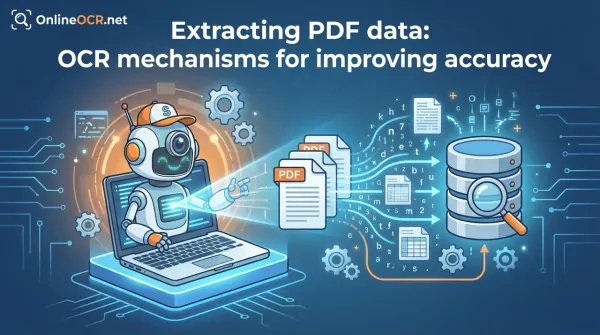
Optical Character Recognition (OCR) represents a fundamental paradigm shift in digital document processing, enabling the programmatic extraction and transformation of textual data embedded within raster images and scanned Portable Document Format (PDF) files.
As of 2026, the capability to convert static visual representations into machine-readable, editable data streams is an indispensable component of modern data pipelines and enterprise resource planning (ERP) systems.
This article provides a technical overview of OCR's operational principles in PDF conversion workflows, highlighting its algorithmic underpinnings and the robust capabilities offered by OnlineOCR.net for secure and high-fidelity data extraction.
🚀 Unlock Your PDFs with OnlineOCR.net 🚀
Is your PDF just a collection of "frozen" images that you can’t search, highlight, or edit? Stop fighting with locked documents. OnlineOCR.net is the professional-grade OCR PDF solution that turns static files into functional data.
Why OnlineOCR.net is the #1 OCR PDF Choice?
- Turn Scans into Text: Convert "image-only" PDF scans into fully searchable and editable Word, Excel, or Plain Text files.
- Multi-Page Support: Whether it’s a single-page receipt or a 100-page report, our engine processes your entire document in one go.
- Keep Your Layout: We don't just dump text into a file. Our advanced OCR preserves your tables, columns, and formatting so the output looks just like the original.
- 46+ Languages Recognized: Perfectly handle documents in English, Spanish, Chinese, Japanese, Korean, and many more.
- No Software, No Signup: Access professional OCR tools directly from your browser on Windows, Mac, or Mobile. No installation required.
🚀 3 Simple Steps to Make Searchable OCR PDFs:
- Upload your scanned PDF file.
- Select your document's language and your preferred output format.
- Convert and download your editable document instantly!
Stop squinting at images. Copy, paste, and edit your text instantly.
👉 Start your OCR PDF conversion for FREE at OnlineOCR.net 👈
Understanding OCR: Core Principles and Data Transformation
OCR, at its core, is an advanced computational process employing image processing, pattern recognition, and machine learning algorithms to interpret and digitize textual content from visual inputs. This technology transforms pixel-based representations of text into structured, character-encoded data. The typical OCR pipeline involves several stages:
- Image Preprocessing: Noise reduction, deskewing, binarization, and contrast enhancement to optimize image quality.
- Layout Analysis: Identification of text blocks, paragraphs, lines, and non-textual elements (images, tables).
- Character Segmentation: Isolating individual characters or glyphs for recognition.
- Character Recognition: Applying pattern matching or neural network models to identify each segmented character.
- Post-processing: Utilizing linguistic models and dictionaries to correct recognition errors and reconstruct words and sentences.
Leveraging OCR within PDF conversion frameworks empowers developers and data engineers to:
- Enable full-text indexing and semantic search capabilities across extensive document repositories.
- Facilitate direct manipulation and programmatic modification of textual content within previously static image-based documents.
- Automate structured data extraction, including tabular data, numerical sequences, and key-value pairs, for integration into databases or analytical platforms.
- Enhance document accessibility by generating underlying text layers compatible with assistive technologies and screen readers, ensuring compliance with WCAG and ADA standards.
Architectural Advantages: Integrating OCR for Enhanced PDF Data Utility
In the absence of OCR, scanned PDF documents are treated as monolithic raster images, precluding any direct interaction with their embedded textual content. This limitation severely restricts data utility, preventing indexing, editing, or programmatic extraction. The integration of OCR transforms these static visual artifacts into dynamic, manipulable data structures, thereby unlocking critical functionalities:
-
Data Editability:
Enables direct modification of textual elements within converted documents, facilitating dynamic content updates for contracts, forms, and reports originating from physical media.
-
Semantic Search & Indexing:
Allows for the creation of searchable text layers, enabling efficient keyword-based retrieval and content indexing across vast repositories of digitized documents.
-
Automated Data Pipelines:
Facilitates the automation of data capture and extraction processes from structured and semi-structured documents (e.g., invoices, receipts), streamlining data entry and reducing manual overhead.
-
Regulatory Compliance & Accessibility:
Generates accessible document formats by embedding machine-readable text, ensuring adherence to accessibility standards such as ADA and WCAG, and supporting assistive technologies.
-
API Integration & Scalability:
Provides programmatic access to document content, allowing for seamless integration into existing enterprise applications, custom workflows, and scalable cloud-based processing solutions.
A Step-by-Step Guide to Leveraging OnlineOCR.net for Document Transformation
- Navigate to the OnlineOCR.net platform interface or integrate via its API endpoint. Upload your target scanned PDF or image file for processing.
- Specify the desired output format (e.g., DOCX, XLSX, TXT) and configure the OCR language model to optimize recognition accuracy for the document's linguistic content.
- Execute the conversion by clicking Convert. The OnlineOCR.net engine will then perform character recognition, layout analysis, and data extraction, including tabular structures.
- Download and perform a quality assurance review and any necessary post-processing edits on the generated machine-readable document.
Technical Best Practice: To maximize OCR engine performance and output fidelity, ensure source documents are scanned at a minimum resolution of 300 Dots Per Inch (DPI) to provide sufficient pixel density for character delineation. Furthermore, accurate specification of the document's primary language is crucial, as it enables the OCR system to apply the most relevant linguistic models and dictionaries for enhanced recognition accuracy.
Troubleshooting OCR: Addressing Common Challenges and Optimizing Recognition Outcomes
-
Suboptimal Image Acquisition:
Low-resolution scans or images with significant noise (e.g., blur, shadows) degrade character segmentation.
Solution: Re-acquire source documents using higher DPI settings (e.g., 300-600 DPI) and apply image preprocessing algorithms for noise reduction and contrast enhancement where feasible.
-
Non-Standard Typography & Cursive Scripts:
Highly stylized fonts, uncommon glyphs, or handwritten text present challenges for standard character recognition models.
Solution: While OnlineOCR.net employs advanced deep learning models capable of recognizing a broad spectrum of fonts, highly idiosyncratic text may necessitate post-correction or specialized model training for optimal results.
-
Multilingual Content:
Documents containing text in multiple languages without explicit language region specification can lead to recognition errors.
Solution: Configure the OCR engine with the correct primary language or, for multilingual documents, specify language regions if the platform supports it, to leverage appropriate linguistic dictionaries and character sets.
-
Complex Document Layouts (Tables, Graphics):
Accurate extraction of data from intricate tables or documents interspersed with complex graphics can be challenging for layout analysis algorithms.
Solution: Post-conversion review and manual refinement of extracted tabular data are often required for highly complex or irregular table structures. Consider using tools with advanced table detection and reconstruction capabilities.
-
Character Encoding Discrepancies:
Issues can arise if the output encoding does not match the expected character set, leading to garbled text.
Solution: Ensure consistent UTF-8 encoding throughout the OCR process and subsequent data handling to prevent character corruption.
👉 Start your OCR PDF conversion for FREE at OnlineOCR.net 👈