How to convert Image to Text in just 1 minute?
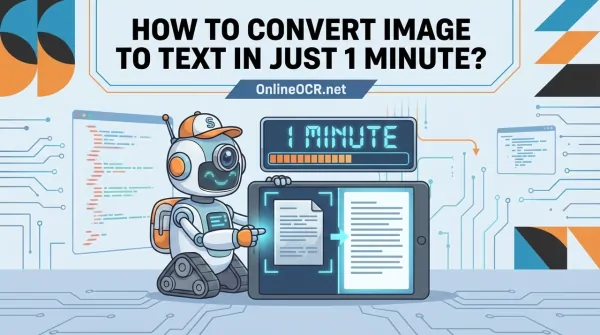
Contemporary Optical Character Recognition (OCR) Workflow
Current OCR implementations leverage a multi-stage processing pipeline to achieve optimal character recognition accuracy.
- Image Pre-processing: This initial phase involves preparing the input image for subsequent analysis. Operations may include deskewing, contrast enhancement, and noise reduction (e.g., shadow removal, smudge mitigation). This pre-processing stage is critical for maximizing recognition accuracy.
- Character Recognition: Following pre-processing, the OCR engine analyzes the cleaned image. This involves pattern recognition algorithms to segment text into lines, words, and individual glyphs. These glyphs are then matched against a comprehensive character library to determine the most probable character representation.
- Post-processing: This final stage refines the recognized text. Contextual analysis, often leveraging linguistic models and dictionaries, is applied to correct recognition errors. For instance, a misidentified 'O' as '0' within a lexical unit would be rectified based on contextual probability.
Each phase, from initial image conditioning to final text output generation, is integral to achieving high-fidelity, actionable OCR results.
For ad-hoc, low-volume text extraction requirements from image sources (e.g., whiteboard captures, presentation slides), readily available online OCR utilities offer a pragmatic solution.
These web-based platforms eliminate the need for local software installation or intricate configuration. Users simply navigate to the service, upload the image file, and initiate the OCR process. This approach is optimal for infrequent, immediate text extraction tasks.
🚀 Stop Retyping, Start Editing! 🚀
Tired of staring at a flat image and wishing you could just copy-paste the text? Whether it’s a blurry photo of a meeting memo, a scanned contract, or a data-heavy invoice, OnlineOCR.net is your ultimate shortcut.
Why choose OnlineOCR.net for Image to Text?
- Instant Conversion: Transform JPG, PNG, BMP, and TIFF into fully editable Word, Excel, or Plain Text in seconds.
- Precision OCR Engine: Our advanced recognition technology preserves your document's original layout, columns, and tables.
- Go Beyond English: Supporting over 46 languages, including Chinese, Japanese, and Korean.
- No Install, No Hassle: 100% web-based. No software to download, no registration required for quick tasks.
- Privacy First: Your files are encrypted and automatically deleted from our servers after conversion.
📥 3 Simple Steps to Freedom:
- Upload your image or PDF.
- Select your language and output format (Docx, Xlsx, or TXT).
- Convert and download your editable file!
👉 Try it for FREE now at OnlineOCR.net 👈
Optimizing Text Output Quality
Post-image upload, specifying the source language is paramount. While seemingly trivial for common languages like English, explicit language selection significantly enhances the OCR engine's character set recognition capabilities, thereby improving overall accuracy.
Upon completion of the OCR process, the extracted text is presented for immediate copy-paste operations. Most utilities also support exporting the recognized content into standard formats such as `.txt` or `.docx`. The end-to-end conversion typically completes within one minute. For a comparative analysis of available tools, consult this overview of image to text converter options.
Dedicated Applications for Persistent OCR Workflows
For daily, high-frequency image-to-text conversion, the limitations of free web-based tools become apparent. While suitable for singular tasks, workflows requiring consistent OCR integration necessitate dedicated desktop or mobile applications. These solutions provide enhanced processing capabilities, robust security protocols, and superior operational convenience compared to their online counterparts.
Consider a scenario involving the digitization of extensive document sets, such as a textbook chapter. Desktop applications facilitate batch processing of multiple scanned pages without requiring an active internet connection. This offline functionality is particularly advantageous for handling sensitive data, such as legal or financial records, ensuring data residency and mitigating external exposure.
The application of OCR for high-throughput data processing has historical precedence. A significant technological advancement occurred in the 1950s, when financial institutions and postal services first deployed it for automated check processing and mail sorting. Further insights into its historical development can be gained by exploring the evolution of Optical Character Recognition technology.
Mobile OCR Applications for Field-Based Data Capture
Modern smartphones function as ubiquitous portable scanning devices. Mobile OCR applications excel at real-time information capture, converting ephemeral image data into structured, editable text.
Illustrative use cases include:
- Business Travel: Capture a receipt image to automatically extract vendor, date, and financial data for expense reporting, eliminating manual data input.
- Team Meetings: Rapidly digitize whiteboard content prior to erasure, generating searchable documentation for collaborative distribution.
- Networking Events: Photograph a business card to instantly generate a new digital contact entry, significantly optimizing contact management workflows.
These applications frequently integrate with cloud storage platforms and note-taking software, streamlining the persistence and organization of captured textual data.
strong>Key Insight: For mission-critical or high-frequency OCR operations, investment in a specialized application is recommended. Desktop solutions provide advanced batch processing capabilities and enhanced data security, whereas mobile applications offer unparalleled flexibility for ubiquitous data capture.
Optimal application selection is contingent upon the specific use case. Differentiating between static archival digitization and dynamic field-based data capture will guide the choice toward the most appropriate OCR solution.
Maximizing Text Conversion Accuracy
The efficacy of image-to-text conversion adheres to the 'garbage in, garbage out' principle. Even with a state-of-the-art OCR engine, suboptimal input image quality will inevitably lead to recognition errors and necessitate extensive post-correction efforts.
Prior to file upload, a brief pre-processing phase is recommended. This preparatory step, analogous to optimizing input conditions, has been empirically shown to significantly enhance the quality of the resulting text output.
Input Image Optimization Protocol
Through extensive experience, a rapid pre-conversion checklist has been formulated to identify common impediments to OCR software performance, thereby ensuring optimal image clarity and legibility.
Key parameters for evaluation include:
- Even Lighting and Contrast: Verify uniform document illumination. Excessive shadows or glare can occlude textual regions. A judicious application of contrast enhancement may improve character distinctiveness, but over-processing should be avoided.
- Straight Alignment: Misaligned documents introduce ambiguity in text line segmentation, frequently resulting in garbled output. Utilize image editing tools for precise deskewing to ensure horizontal text baseline orientation.
- Clean and Focused Text: The source image must exhibit high sharpness and focus. Blurry text is a primary contributor to degraded OCR accuracy.
- Minimal Background Noise: Eliminate extraneous visual elements (e.g., desk surfaces, fingers, decorative borders) via precise cropping. A tightly cropped image directs the OCR engine's attention exclusively to the target text.
A prevalent misconception posits that higher image resolution inherently correlates with superior OCR performance. In reality, image clarity and optimal input conditions (e.g., 300 DPI for scanned documents) are paramount. A well-illuminated, deskewed image will consistently yield better results than a high-resolution, but poorly conditioned, alternative.
Implementing these preparatory steps transcends mere expectation; it actively biases the OCR software towards a higher fidelity interpretation. For advanced techniques, refer to our guide on how to scan image for text. Proactive image conditioning significantly reduces subsequent post-correction overhead.
Programmatic Text Extraction at Scale
While manual conversion utilities suffice for singular operations, processing high volumes of documents (e.g., invoices) or continuous streams of user-generated images necessitates a programmatic approach. In such scenarios, an Optical Character Recognition (OCR) API is an indispensable component.
Rather than manual file manipulation, OCR APIs enable direct integration of text extraction functionalities into custom applications. Robust cloud-based services, such as Google Cloud Vision or Amazon Textract, facilitate embedding this capability within existing software workflows. For example, an expense management application could automatically parse receipt data upon image upload, demonstrating the inherent power of API-driven solutions.
For developers, the integration process is remarkably streamlined, typically involving a concise sequence of operations.
OCR API Integration Fundamentals
The initial step involves provider registration and API key acquisition. This key serves as an authentication token, enabling secure communication between your application and the OCR service endpoint.
Once authenticated, the standard operational workflow is as follows:
- Initiate API Request: The client application transmits the image file to the designated service endpoint. This typically involves encoding the image data in Base64 and embedding it within an authenticated request, alongside the API key.
- Receive Structured Response: The OCR API processes the image and returns the extracted text, predominantly in a structured JSON format. This response provides granular data beyond raw text, including bounding box coordinates for detected words, recognition confidence scores, and explicit line break indicators.
- Parse and Consume Data: Application logic then processes the JSON response to extract and utilize specific data elements as required.
In a prior implementation for invoice processing, this methodology was leveraged. Rather than full document parsing, the application code analyzed the JSON response to identify text segments within predefined coordinate regions of the invoice template, thereby enabling automated extraction of critical fields such as total amount and invoice number.
This API-centric paradigm positions OCR as a robust and scalable solution for developers aiming to automate document processing workflows.