How to transform scanned images into text with OCR?
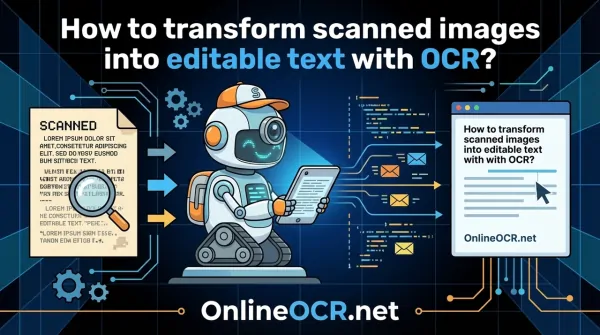
Ever snapped a quick pic of your lecture notes, a crucial report, or an important document with your phone, only to convert it into a PDF?
While PDFs are fantastic for sharing and archiving, those scanned PDFs can be a real digital roadblock.
They're essentially static images, preserving the original look perfectly, but locking away the text within – making it impossible to search, copy, or edit.
Frustrating, right? But fear not, digital warriors!
Enter OCR (Optical Character Recognition) technology – your ultimate solution to this common dilemma. Harnessing the power of AI and Machine Learning, OCR intelligently identifies and extracts text from those stubborn image-based PDFs, instantly making them searchable, selectable, and fully editable. It's lightning-fast, incredibly accurate, and wonderfully convenient. Ready to dive in? Let's explore the magic of OCR and discover how easy it is to transform any image PDF into a dynamic text PDF using OnlineOCR.net.
🚀 Stop Retyping, Start Editing! 🚀
Stop wasting your afternoon retyping text from a picture! Whether it’s a snapshot of a contract, a page from a textbook, or a screenshot of a memo, OnlineOCR.net is the bridge between your Image to Word document.
Why OnlineOCR.net is the Ultimate Image to Word Solution?
- Flawless Extraction: Convert JPG, PNG, BMP, and TIFF directly into fully editable Microsoft Word (.docx) files.
- Smart Layout Retention: Our OCR engine doesn't just "read" text; it understands structure. It keeps your columns, lists, and fonts exactly where they belong.
- Global Language Support: Recognize and convert text in over 46 languages, including complex scripts like Chinese, Japanese, and Korean.
- Zero Commitment: No software to install and no registration required for quick, one-off conversions. Just upload, convert, and go.
- Security You Can Trust: Your privacy is our priority. Files are processed over an encrypted connection and automatically deleted after your session.
🚀 Transform Your Workflow in 3 Clicks:
- Select your image file from your computer or mobile.
- Choose Microsoft Word (.docx) as your output format.
- Convert and download your editable file instantly!
Don't just look at your data—edit it. Turn any image into a living document today.
👉 Try the Magic for FREE at OnlineOCR.net 👈
How Does This OCR Magic Actually Work?
At its core, OCR stands for Optical Character Recognition – it's like giving your computer eyes to "read" text. This ingenious technology automatically extracts data from visual formats and transforms it into machine-readable, editable text in mere seconds. Think about it: scanned documents, photos of whiteboards, even those tricky PDF images – OCR empowers you to convert them all into fully editable text.
The Journey from Pixels to Prose: Steps in OCR Scanning
Before your static image transforms into a dynamic, editable file, OCR technology embarks on a fascinating multi-step journey:
-
Acquiring the Image: The OCR engine first takes a deep look at your scanned document or image, meticulously distinguishing between the text you want and the background noise.
-
Pre-processing Perfection: Next, the image gets a digital spa treatment! It's cleaned up, removing any stray marks, smudges, or unnecessary pixels to ensure the clearest possible analysis.
-
Intelligent Text Recognition: This is where the magic truly happens. OCR meticulously identifies and targets each individual character, letter by letter, for precise recognition.
-
Sophisticated Layout Recognition: Beyond just characters, advanced OCR understands the bigger picture. It analyzes the entire document layout, preserving the integrity of tables, charts, symbols, and overall structure for a truly accurate conversion.
-
Post-processing & Preservation: Finally, with all the analysis and recognition complete, the OCR tool neatly packages your newly extracted data into a fully editable document or a searchable PDF version.
It's important to grasp that OCR isn't just a simple scan; it's a powerful partnership between a physical device (like your scanner or phone camera) that captures the image, and sophisticated software that translates those pixels into readable text. This software is incredibly smart, leveraging cutting-edge AI and Intelligent Character Recognition (ICR) to expertly decipher a vast array of languages, diverse writing styles, and even various forms of handwriting! It operates in intricate layers, meticulously analyzing the image at every level to identify characters, elements, fonts, and symbols with remarkable precision.
Ready to Transform Your Documents? Here's How to Convert Scanned Images to Editable Text with OCR!
Say goodbye to tedious manual data entry! Discover just how effortless it is to convert those static image PDFs into dynamic, editable text PDFs. With the intuitive OnlineOCR.net OCR PDF tool, you can swiftly transform your scanned documents and images into usable text in a flash.
-
First things first: Fire up your favorite web browser and head over to the user-friendly OnlineOCR.net services.
-
Next, it's upload time! Simply click the prominent ‘Select a file’ button to browse and choose your scanned PDF or image from your computer, or for ultimate convenience, just drag and drop your file directly into the designated area.
-
Once OnlineOCR.net has swiftly uploaded your document, our powerful OCR technology springs into action, automatically processing your file and making all the text instantly searchable and recognizable. Voila!
Unleash the Potential: Incredible Applications of OCR Technology!
Transforming those static PDF images into editable text with OCR isn't just a neat trick – it unlocks a universe of possibilities! This versatile technology can be seamlessly integrated across countless industries and professions, empowering you to reclaim valuable time, boost efficiency, and reallocate your precious resources to truly productive and creative tasks.
Curious how you can put OCR to work for you? Here are just a few ways:
1. Automate Data Entry & Say Goodbye to Tedium!
Imagine slashing the hours you spend painstakingly typing details from screenshots, scanned reports, or even handwritten notes! With OCR, you can effortlessly search for, copy, and paste text directly from your documents into spreadsheets, presentations, or research papers. Not only does this dramatically speed up your workflow, but it also significantly reduces the frustrating and costly chances of manual data entry errors.
2. Embrace Digital: Drastically Reduce Physical Document Storage
Tired of overflowing filing cabinets or stacks of papers cluttering your desk? When you can effortlessly scan and edit PDFs, the need for physical document storage becomes a thing of the past! For students, this means transforming those sprawling handwritten notes into perfectly organized, searchable digital text. Professionals can seamlessly scan and modify contracts, then utilize convenient features like ‘Request e-signature’ to authenticate documents – all without ever touching a printer or a physical pen. Go green, go digital, go efficient!
3. Build Smart, Accessible, and Searchable Databases
Imagine effortlessly extracting critical text from image-based PDFs and instantly populating your own dynamic, searchable database! With OCR scanning, your information is no longer trapped. Need urgent data while you're on the go? Simply access your cloud storage for an editable version of that scanned document. OnlineOCR.net empowers you to not only organize your PDFs but also modify them precisely when and where you need them, ensuring your data is always at your fingertips.
4. Supercharge Your Productivity and Streamline Workflows
Leveraging OnlineOCR.net's powerful OCR technology means more than just converting text. It's about dramatically reducing turnaround times, virtually eliminating potential errors, skyrocketing your overall efficiency, and maintaining impeccable organization across all your digital documents. Get ready to work smarter, not harder!
The FAQ Zone
Can I Convert a Scanned Image Directly to a Word Document?
Yes, you absolutely can! Our incredibly user-friendly online
PDF to Word converter
makes it a breeze to transform scanned images into fully editable Word documents. This powerful tool takes your static scanned PDF and converts it into a dynamic Word file, giving you the freedom to effortlessly edit text, add your own notes, or even insert drawings with ease.
How Do I Make a Scanned PDF Searchable?
It's simpler than you think! Just leverage the robust OCR functionality built into OnlineOCR.net PDF to text converter. This cutting-edge OCR technology, powered by advanced AI and Machine Learning, works tirelessly behind the scenes to transform your scanned Images to Word (fully editable) and, most importantly, searchable text directly within your Word (or PDF) document.
Can OCR Really Convert My Handwritten Notes into Digital PDF Text?
Yes, absolutely! With the intelligent OnlineOCR.net PDF tool, you can effortlessly convert your legible handwritten notes into digital PDF text. Modern OCR applications, especially those enhanced with AI expertise, are remarkably adept at deciphering a wide array of writing styles. While particularly complex or messy notes might require a quick edit, the core functionality is there, and your converted text can be saved as a fully searchable PDF document – a game-changer for students and researchers alike!
Is Using OnlineOCR.net Secure for Scanned Conversions? Is My Data Safe?
Absolutely! At OnlineOCR.net, your document security and privacy are our top priorities. You can trust us to safely convert and process your files. We are deeply committed to maintaining the highest standards of security, employing robust, industry-standard protocols and state-of-the-art encryption to rigorously protect your data and prevent any unauthorized access, hacking, or leakage. Convert with confidence!
👉
Try the Magic for FREE at OnlineOCR.net 👈